Ahem for iOS
Meetings you can't ignore. Now in your pocket.
Not another calendar app to check. A calendar that checks in on you.
One-time purchase. No subscription, no account required.
See Ahem for Mac & WindowsA calendar that checks in on you.
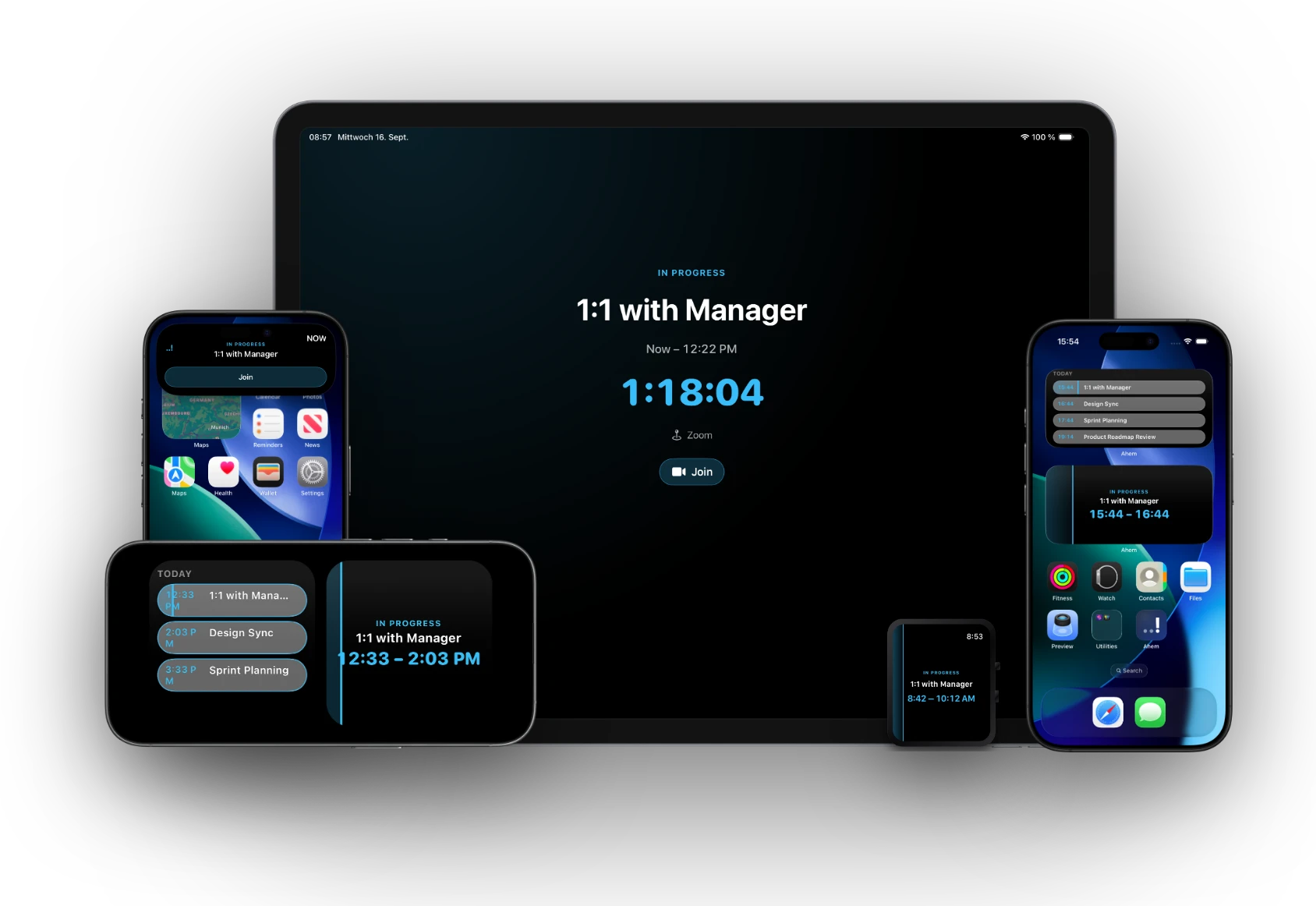
Five surfaces built specifically for iOS — not a shrunk-down desktop window.
Dynamic Island — a live countdown pill, always where you're already looking.
Lock Screen Live Activity — see your next meeting without unlocking your phone.
Home Screen widgets — Countdown, Timeline, and Split layouts.
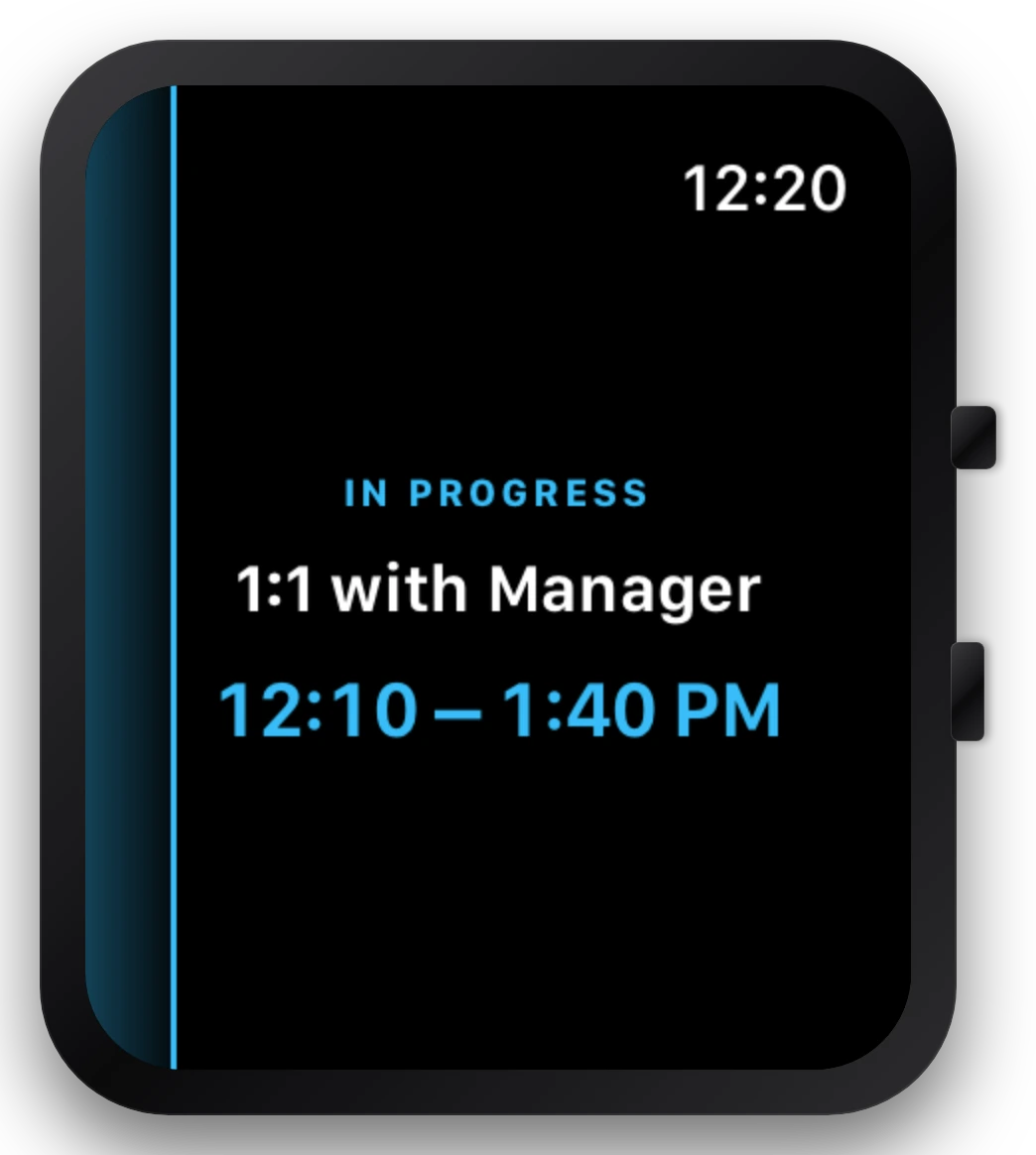
Apple Watch companion — its own app, complication, and haptic, even with your phone in another room.
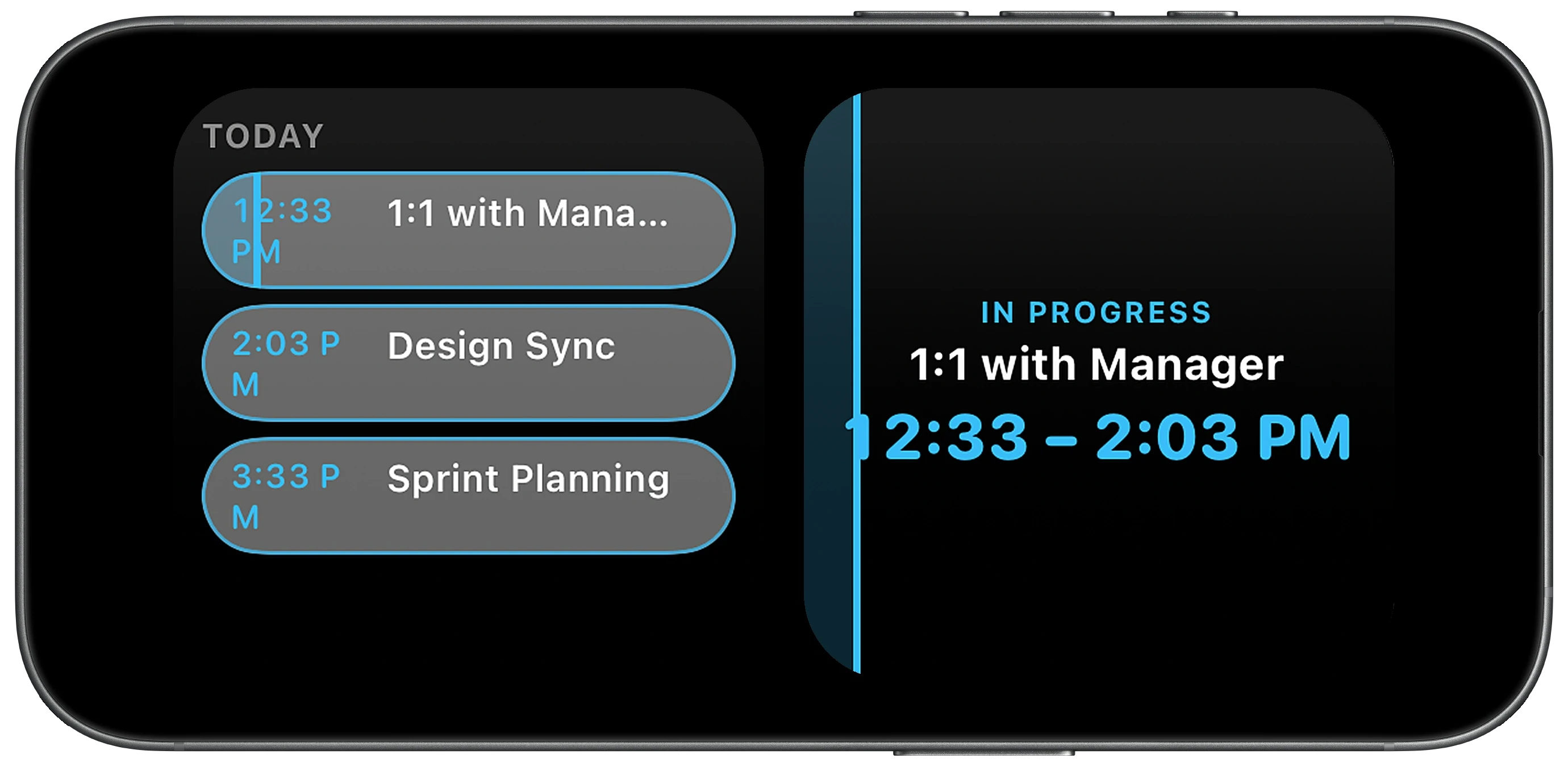
StandBy — set your phone down at your desk and it becomes an always-on view of your day.
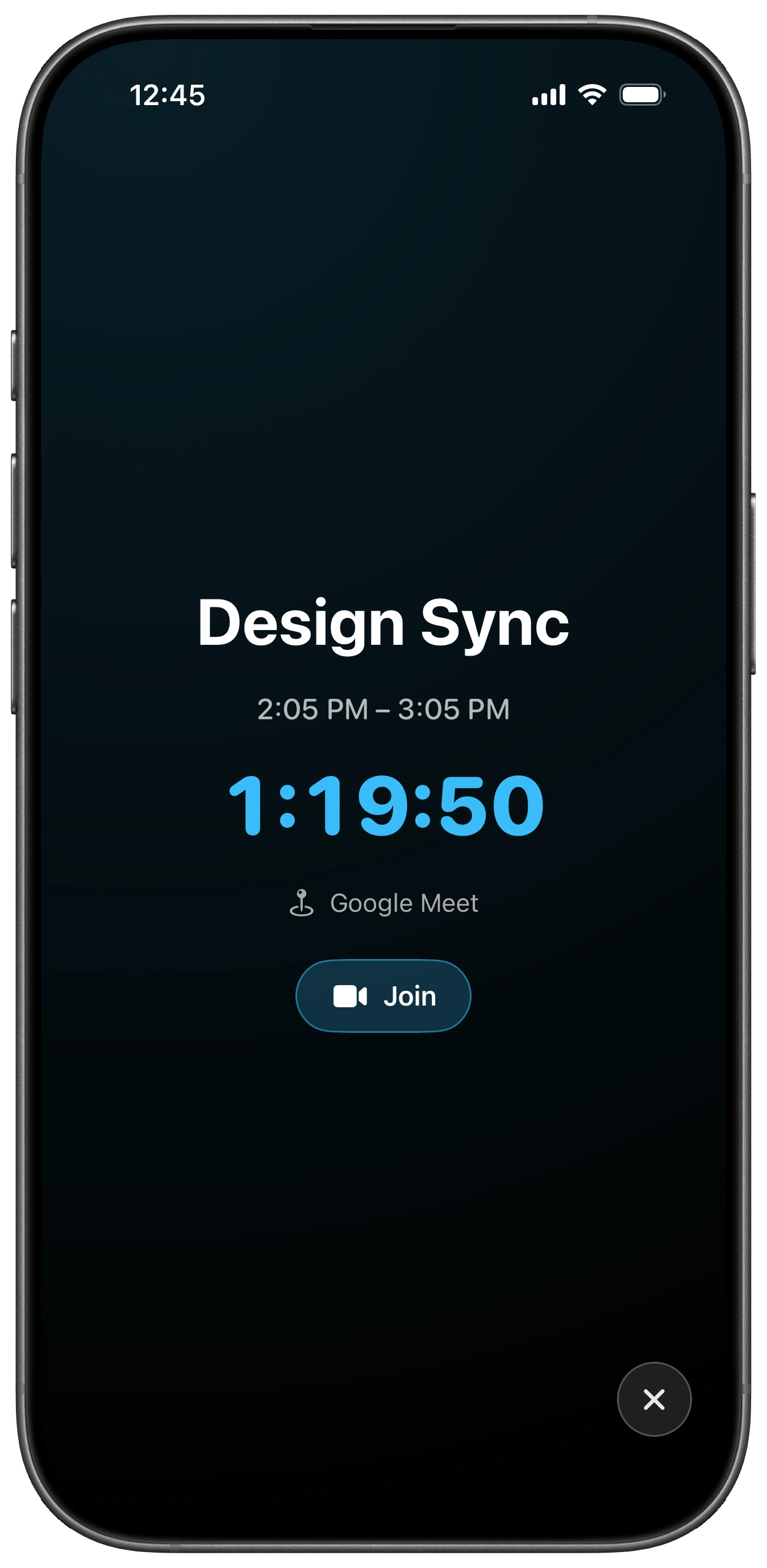
Always in view, never in the way.
A compact pill shows the meeting platform and a live countdown during normal use. Long-press to expand: meeting name, countdown, and a one-tap Join that opens the right app — or falls back to Safari.
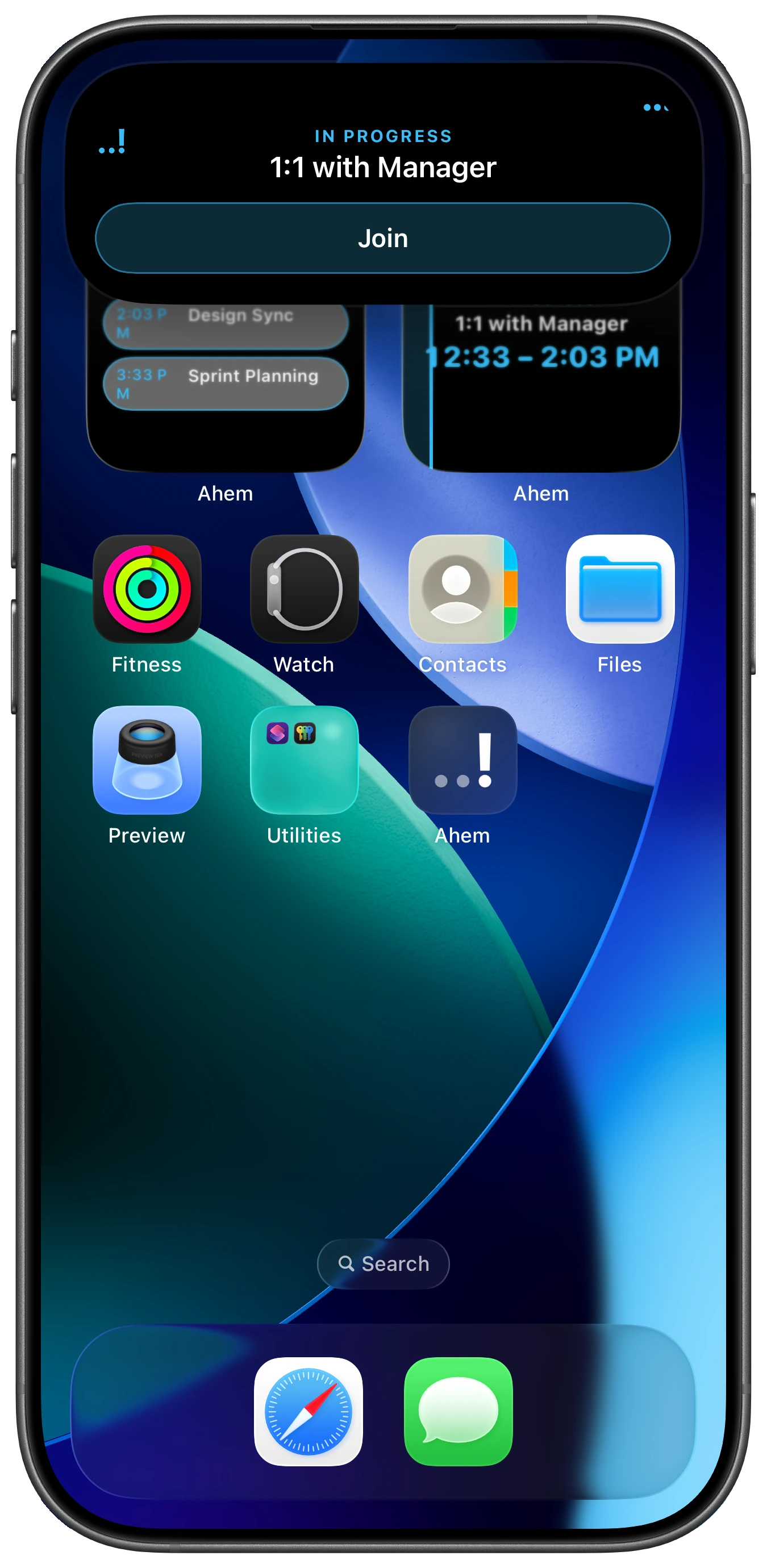
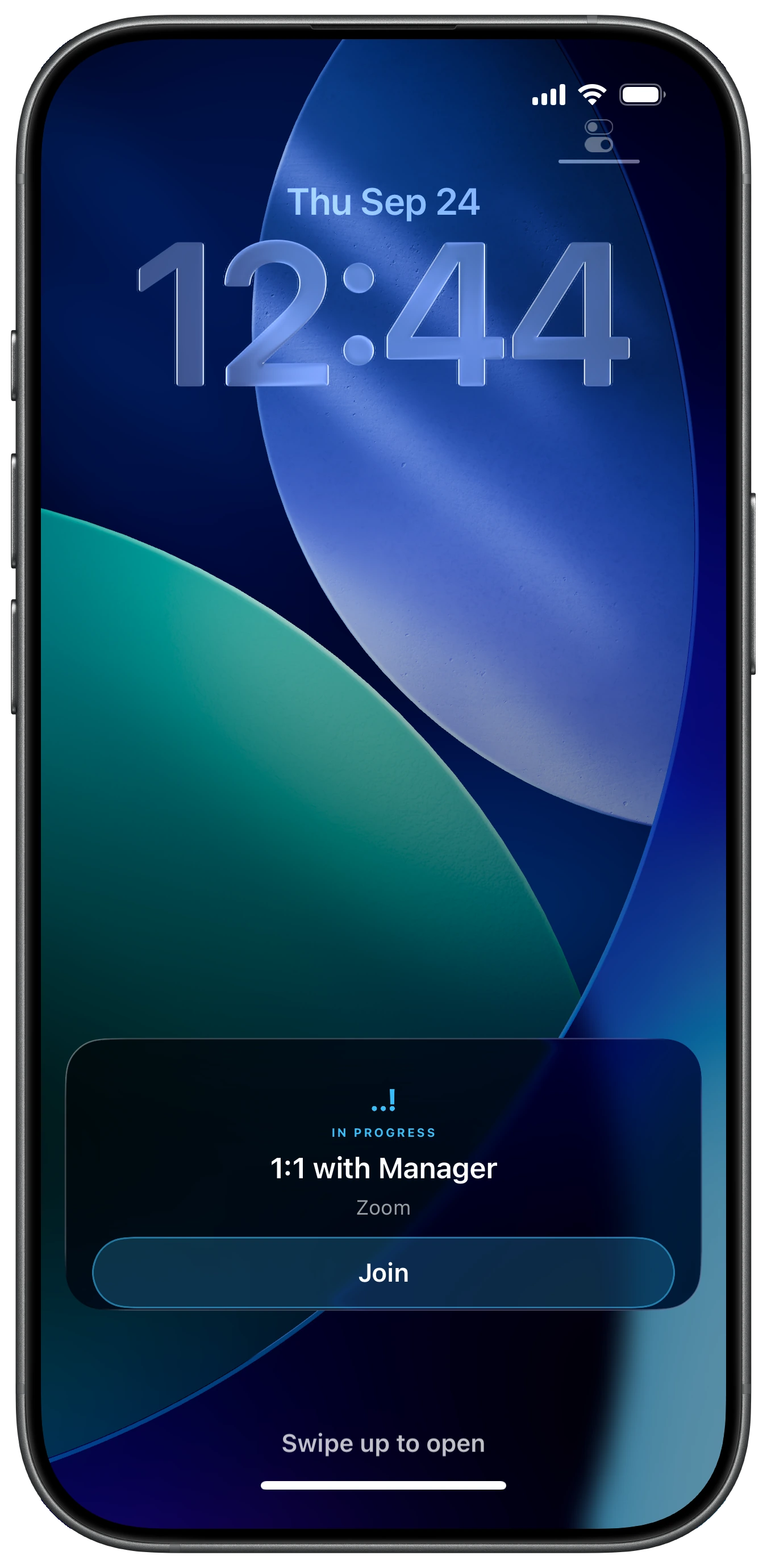
See it before you even unlock.
The same meeting card surfaces on your Lock Screen as a Live Activity. Choose how far ahead it appears, and set a one-time Island Peek at exactly the moment you want a nudge.
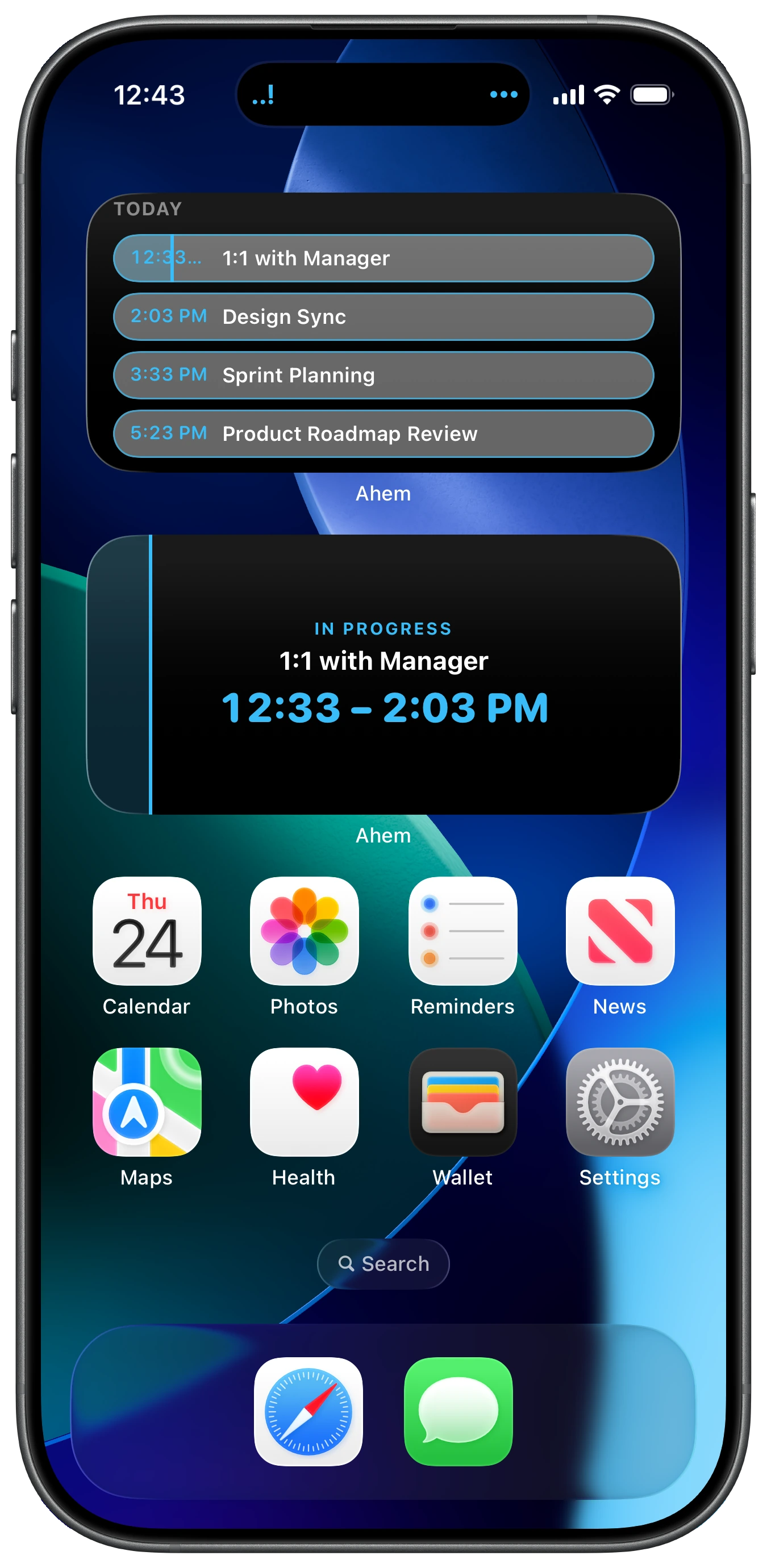
Three widgets, your choice.
Countdown shows the time until your next meeting. Timeline shows upcoming events. Split puts your next meeting and today’s timeline side by side. Widgets are available on iPhone and iPad.
Your desk becomes a dashboard.
Set your iPhone on its side while it's charging and StandBy turns into an always-on view of your day — the current meeting, a live countdown, and what's coming up next, glanceable from across the room. It's not a shrunk widget; StandBy gets its own dedicated layout, built for exactly this moment.
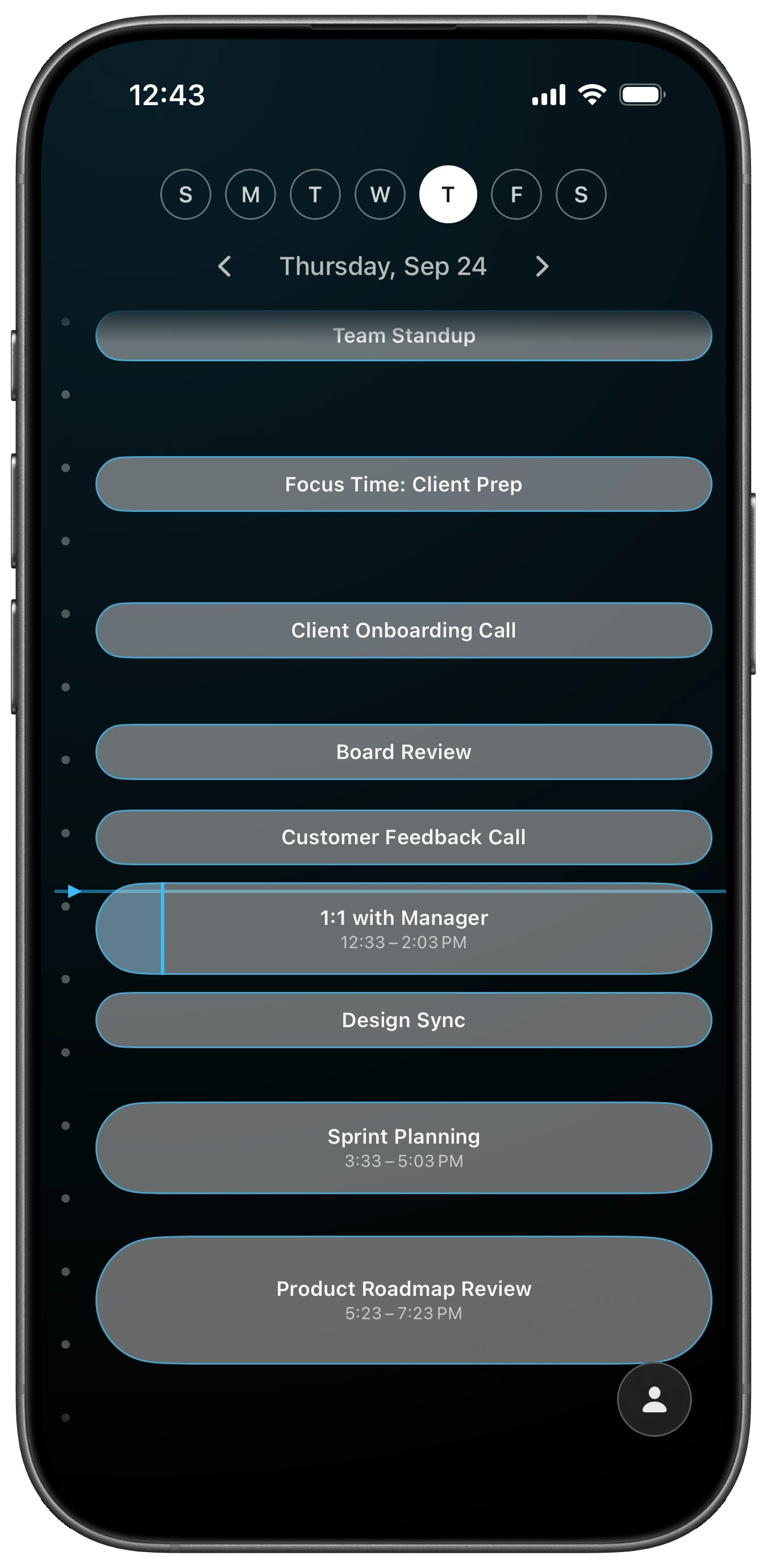
Your whole day, one scroll.
A real scrollable day timeline — past, current, and upcoming meetings positioned by actual time. Swipe between days, or tap any event for a full detail view: title, time, join link, notes, and one-tap Join.
A real watch app, not a mirror.
Ahem for Apple Watch is its own companion app — it still shows your next meeting even when your phone is in another room. A distinctive haptic pattern means a Watch buzz means one thing: meeting. Comes with a watch-face complication in the rectangular and inline styles, plus a Smart Stack card.
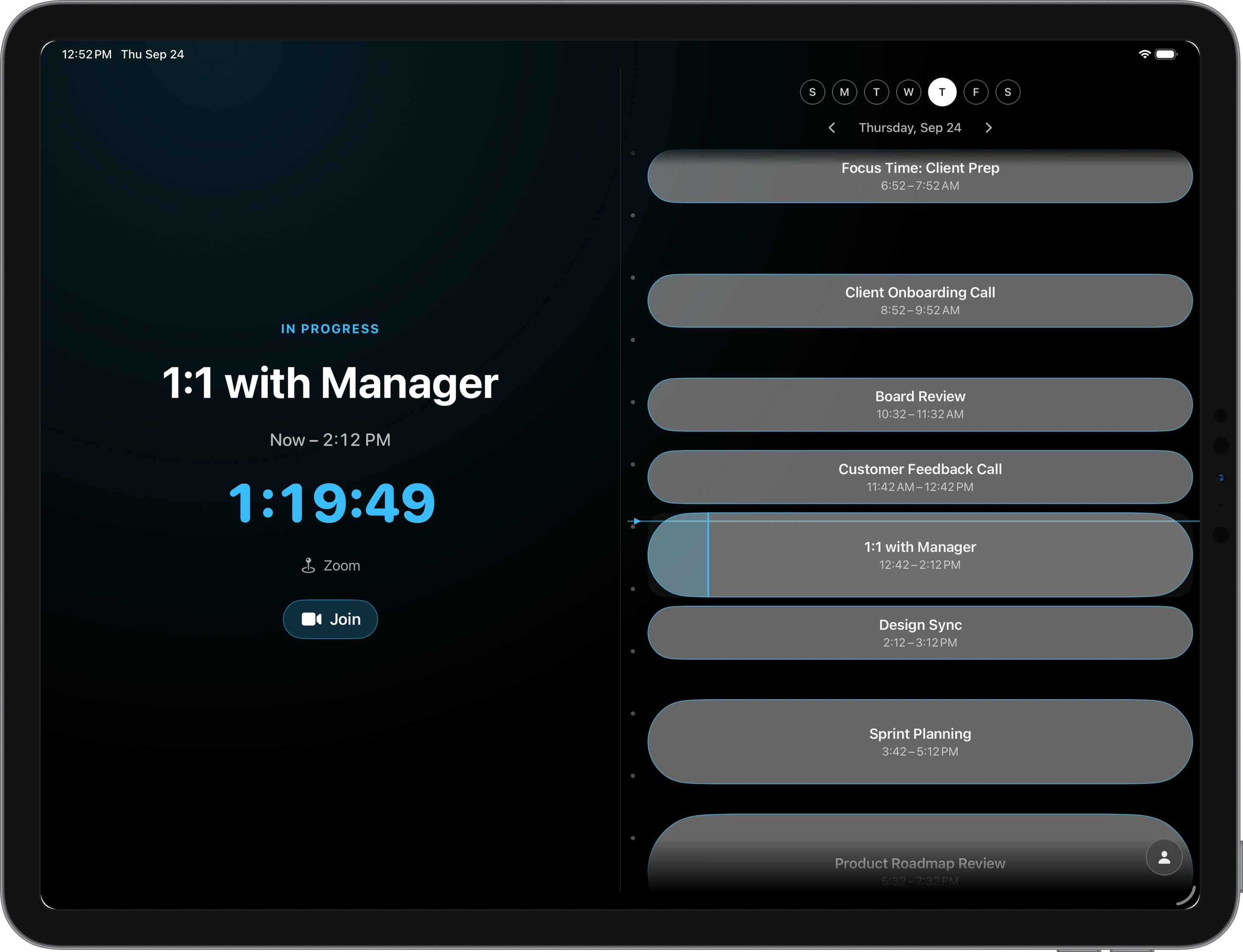
Not a stretched iPhone screen.
Ahem for iPad is its own scaled layout, designed for the bigger canvas — with its own screenshot set and widget sizes to match.
Works with the calendars you already have.
Ahem for iOS reads whatever's already connected in your iPhone's own Settings → Calendar — Google, Outlook/Exchange, iCloud, and more. No login, no account creation inside Ahem itself.
Prefer to connect directly? Native sign-in for Google and Outlook is built in too, with per-calendar toggles for each connected account.
No accounts. No servers. No exceptions.
Ahem for iOS reads your calendar to show it back to you, on-device. There's no Ahem account to create and no Ahem server standing between you and your calendar.
Buy once. That’s it.
No subscription, no in-app purchases — the same philosophy as the desktop app.
- Works with calendars you already have — no login required
- iPhone, iPad, and Apple Watch included
- No subscription, no in-app purchases
- Available in 17 languages
- No account, no ads, no tracking
Take Ahem with you — or leave it on your desk.
Ahem for iOS is a companion to the Ahem desktop app for Mac and Windows, not a replacement. Same philosophy, built for whichever screen you're actually looking at when a meeting's about to start. Use either on its own, or both together.
Frequently asked questions
Do I need an account to use Ahem for iOS?
No. Ahem for iOS reads the calendars already connected in your iPhone’s Settings → Calendar, including Google, Outlook/Exchange and iCloud, so there is no Ahem account to create. You can also sign in to Google or Outlook directly in the app if you prefer.
How is Ahem for iOS different from the Mac and Windows app?
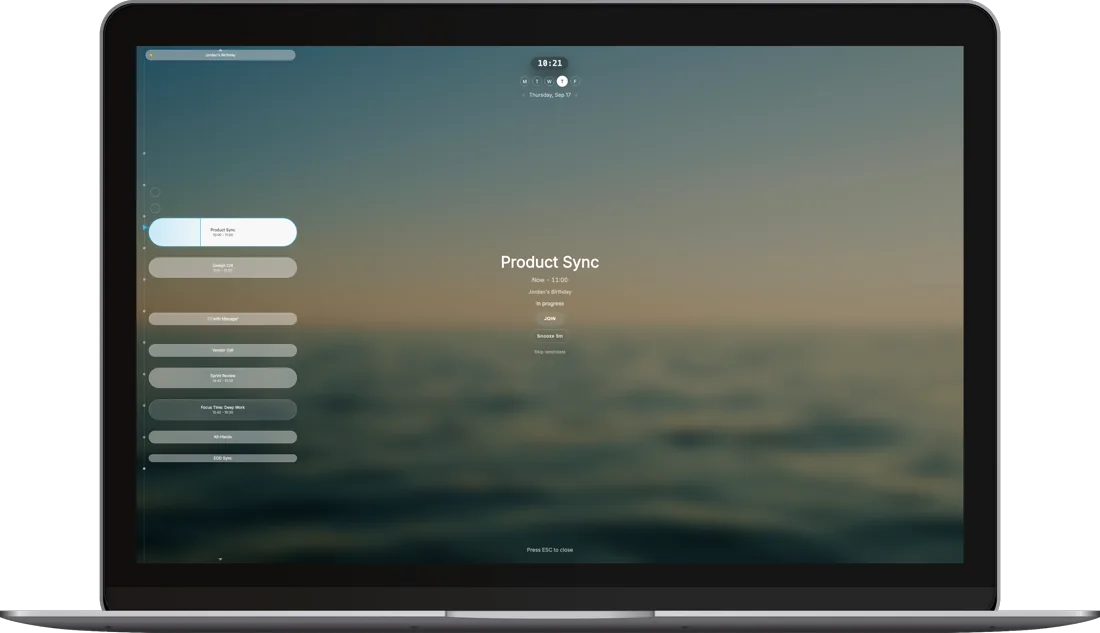
They are separate apps built for different screens. The desktop app takes over your screen with a fullscreen reminder. Ahem for iOS uses the Dynamic Island, Lock Screen Live Activities, Home Screen widgets, StandBy and Apple Watch instead. You can use either one on its own.
Does Ahem for iOS work on Apple Watch and iPad?
Yes. The Apple Watch app shows your next meeting even when your iPhone is in another room, with its own haptic and a watch-face complication. iPad has its own layout and widget sizes.
Which widgets does it have?
Countdown, Timeline and Split widgets for the Home Screen on iPhone and iPad. StandBy is separate: it has its own layout when your iPhone charges on its side.
Is Ahem for iOS a subscription, and is it included with the desktop app?
No subscription and no in-app purchases: it is a one-time App Store purchase that covers iPhone, iPad and Apple Watch, and the price depends on your region. It is bought separately from the desktop app, whose direct purchase covers Windows and Mac.
Available in 17 languages.
Fully translated, including right-to-left support for Arabic.