Outlook and Teams meeting reminders you will not miss
A bigger reminder for the same calendar
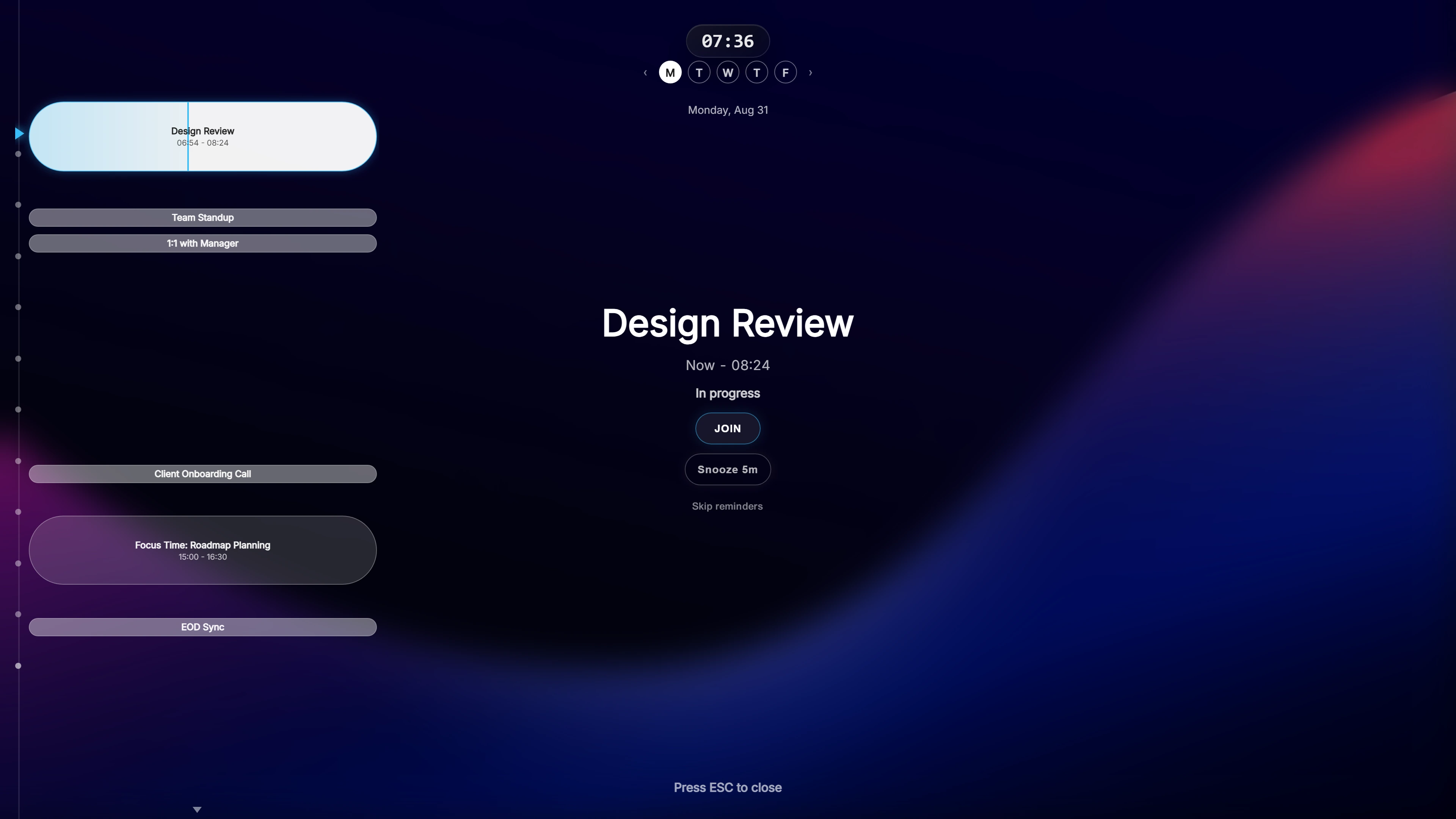
Ahem! does not replace Outlook or Teams. It reads the same Outlook / Microsoft 365 calendar and adds a reminder that is much harder to miss: a full-screen, semi-transparent overlay that appears before each meeting, on top of whatever you are working in.
The overlay shows the meeting name, a live countdown and a Join button. Click Join and the Teams meeting opens.
How it connects
Sign in with your Microsoft account and choose which calendars to use. Ahem! asks for read-only access: it can see your events and cannot create, change or delete them. You can add several accounts, for example a work Microsoft 365 account and a personal Google Calendar, and see them in one timeline or side by side.
Some organisations restrict which apps may connect to work accounts. If sign-in is blocked, your IT administrator decides whether to allow it.
Not only Teams
Ahem! recognises join links for 20 meeting services, including Microsoft Teams, Zoom, Google Meet and Webex, so one reminder works across all the meetings in your calendar.
Timing and screen sharing
Reminders appear at 10, 5 and 1 minute before the meeting by default, and each can be changed, down to 30 or 15 seconds before. If you are sharing your screen, Privacy Mode hides meeting names and attendees while the reminder still appears.
Ahem! runs on Windows and Mac and is a one-time purchase.
Common questions
Does Ahem! change my Outlook calendar?
No. Access is read-only.
Where is my calendar data stored?
On your own computer. Ahem! has no servers; events are fetched directly from Microsoft and cached locally.
Can a team buy it?
Yes. Seat discounts apply automatically at checkout from 10 seats upward.
One payment, both Windows and Mac. Works with Google Calendar, Outlook / Microsoft 365, and iCloud Calendar.