Full-screen meeting reminders for Mac
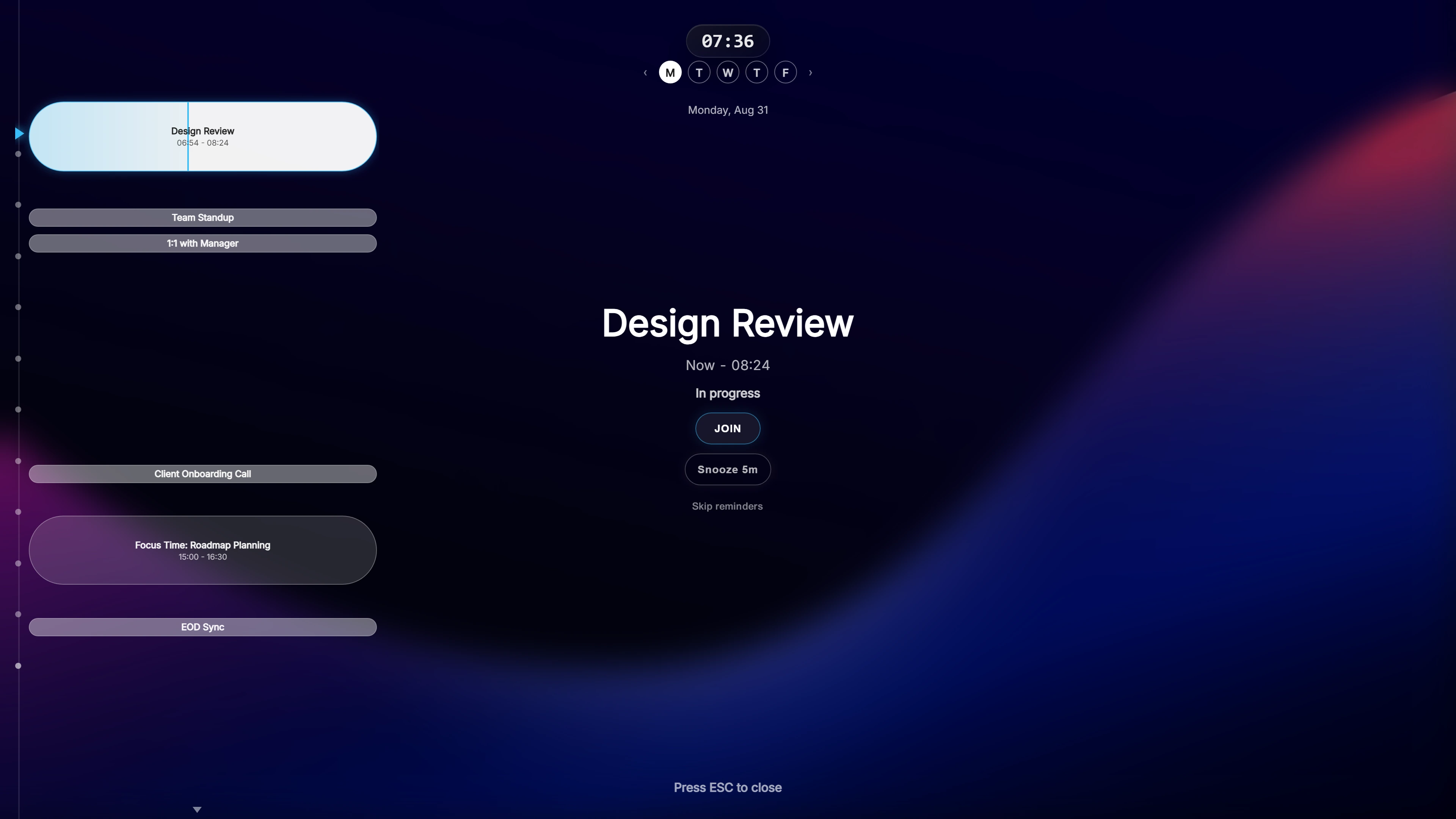
A reminder you will actually see
Shortly before a meeting, Ahem! covers your screen with a semi-transparent overlay: the meeting name, a live countdown and a Join button. It appears on top of full-screen apps as well.
Join works for 20 meeting services, including Zoom, Microsoft Teams, Google Meet and Webex. If an invitation has more than one join link, Ahem! shows them side by side.
Made for the Mac
- Widgets for the desktop and Notification Center: a countdown to your next meeting and a look at the rest of today.
- iCloud Calendar through EventKit: you grant permission once, with no password to type.
- Native sign-in for Google and Outlook in an in-app window.
- Glass theme, only on Mac, alongside Daylight and High Contrast.
- Keychain storage for sign-in tokens.
Your timing, your screens
Reminders appear at 10, 5 and 1 minute before a meeting by default, and you can change each one. Choose which display the overlay uses, set your working hours, and pick 12- or 24-hour time.
Private by design
Ahem! only reads your events. There is no Ahem! account and no Ahem! server, and your calendar data stays on your Mac. It is a one-time purchase with free updates. Buying direct covers Mac and Windows; the Mac App Store version is for Mac only.
Common questions
Is there an iPhone or Apple Watch version?
Yes. Ahem for iOS runs on iPhone, iPad and Apple Watch with Live Activities, widgets and Watch reminders. It is a separate app and either one works on its own.
Does it need a subscription?
No. Pay once and keep it, with free updates.
Will it interrupt a presentation?
The overlay is semi-transparent and Esc dismisses it at once. Privacy Mode hides meeting names and attendees while you share your screen.
One payment, both Windows and Mac. Works with Google Calendar, Outlook / Microsoft 365, and iCloud Calendar.