A meeting reminder app built for ADHD
Why ordinary reminders get missed
Calendar apps remind you with a small notification in a corner of the screen. It shows for a few seconds and then it is gone. When you are absorbed in something, that is easy to miss, and once it has disappeared there is nothing left on screen to bring you back.
Many people with ADHD describe exactly this: they knew about the meeting, they set the reminder, and it still slipped past. More alarms rarely fix it, because each one is as easy to dismiss as the last.
What Ahem! does differently
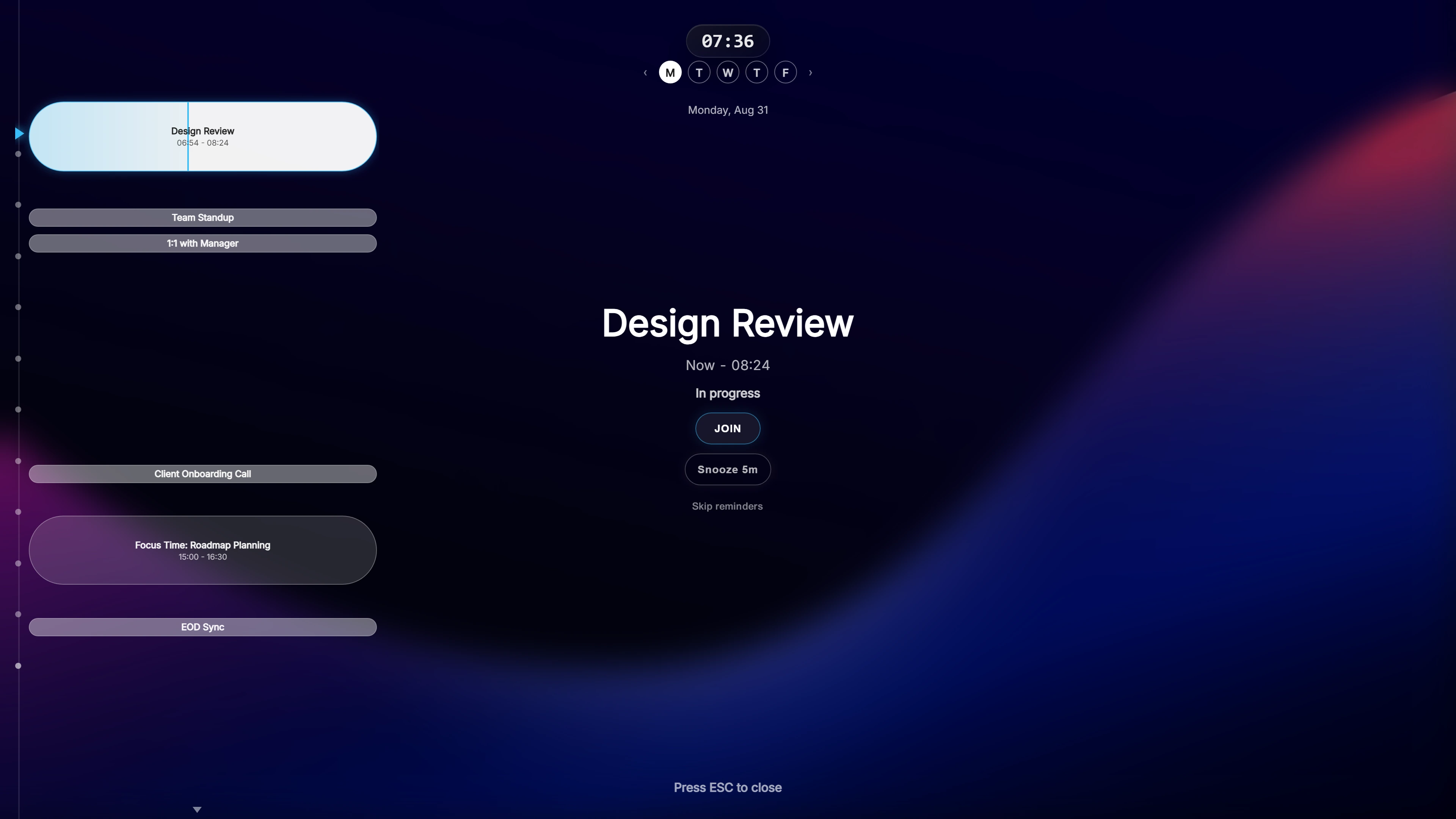
Ahem! takes over the whole screen. Shortly before your meeting, a semi-transparent overlay appears on top of whatever you are doing and shows three things: what the meeting is, a live countdown to the start, and a Join button.
- You cannot overlook it. It covers the screen instead of sitting in a corner.
- The countdown keeps running. You see the time shrinking, which is easier to act on than a clock time you have to work out.
- Joining is one click. Ahem! finds the meeting link for 20 services, including Zoom, Microsoft Teams, Google Meet and Webex, so there is no hunting through email.
- It gets out of the way. Press Esc to dismiss it, or snooze it if you need another minute.
Set it up to suit you
By default, reminders appear 10, 5 and 1 minute before a meeting. You can change every one of those, down to 30 or 15 seconds before the start, and add a sound if that helps.
A timeline at the side shows the rest of your day, so you can see what is coming without opening your calendar. Themes include Daylight and High Contrast, and you can reduce motion if animation is distracting.
Calendars and privacy
Ahem! works with Google Calendar, Outlook / Microsoft 365 and iCloud Calendar, with as many accounts as you need. It only reads your events and never changes them. There is no Ahem! account and no Ahem! server: your calendar data stays on your computer.
Common questions
Is Ahem! a medical or treatment tool?
No. Ahem! is a reminder app. It makes meeting reminders hard to miss; it does not diagnose or treat anything.
Does it need a subscription?
No. Ahem! is a one-time purchase with free updates. Buying direct covers both Windows and Mac.
Will it interrupt me while I am presenting?
The overlay is semi-transparent and Esc dismisses it at once. Privacy Mode hides meeting names and attendees while you share your screen.
One payment, both Windows and Mac. Works with Google Calendar, Outlook / Microsoft 365, and iCloud Calendar.