A calmer way to join your next meeting
Meeting reminders you can't ignore.
Notifications whisper and vanish. Ahem! fills your screen right before your meeting — live countdown, day timeline, one‑click join. Then it gets out of your way.
One payment, both Windows and Mac. Works with Google Calendar, Outlook / Microsoft 365, and iCloud Calendar.
Or individually on


Direct purchase includes Windows and Mac. Store purchases are for one platform.

Just launched
Ahem for iOS
Your next meeting, now on iPhone, iPad, and Apple Watch.
Explore Ahem for iOS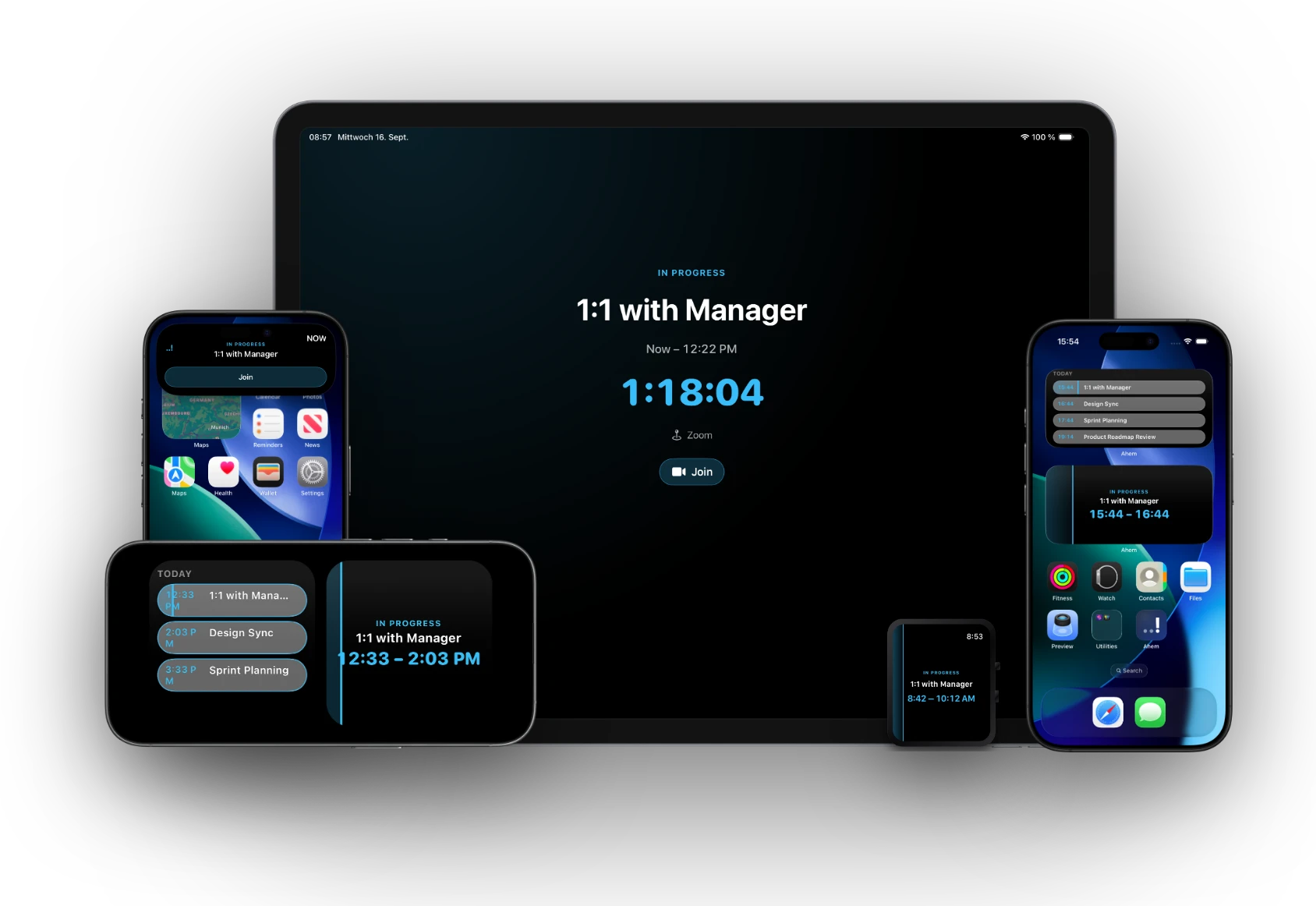
Standard notifications are too quiet.
You're deep in flow. A tiny toast popped up for two seconds and vanished. That was your meeting.
ADHD, time-blindness, deep focus? Little popups might as well be invisible.
Ahem! takes the whole screen — calm, warm, impossible to miss. Works with your brain, not against it.
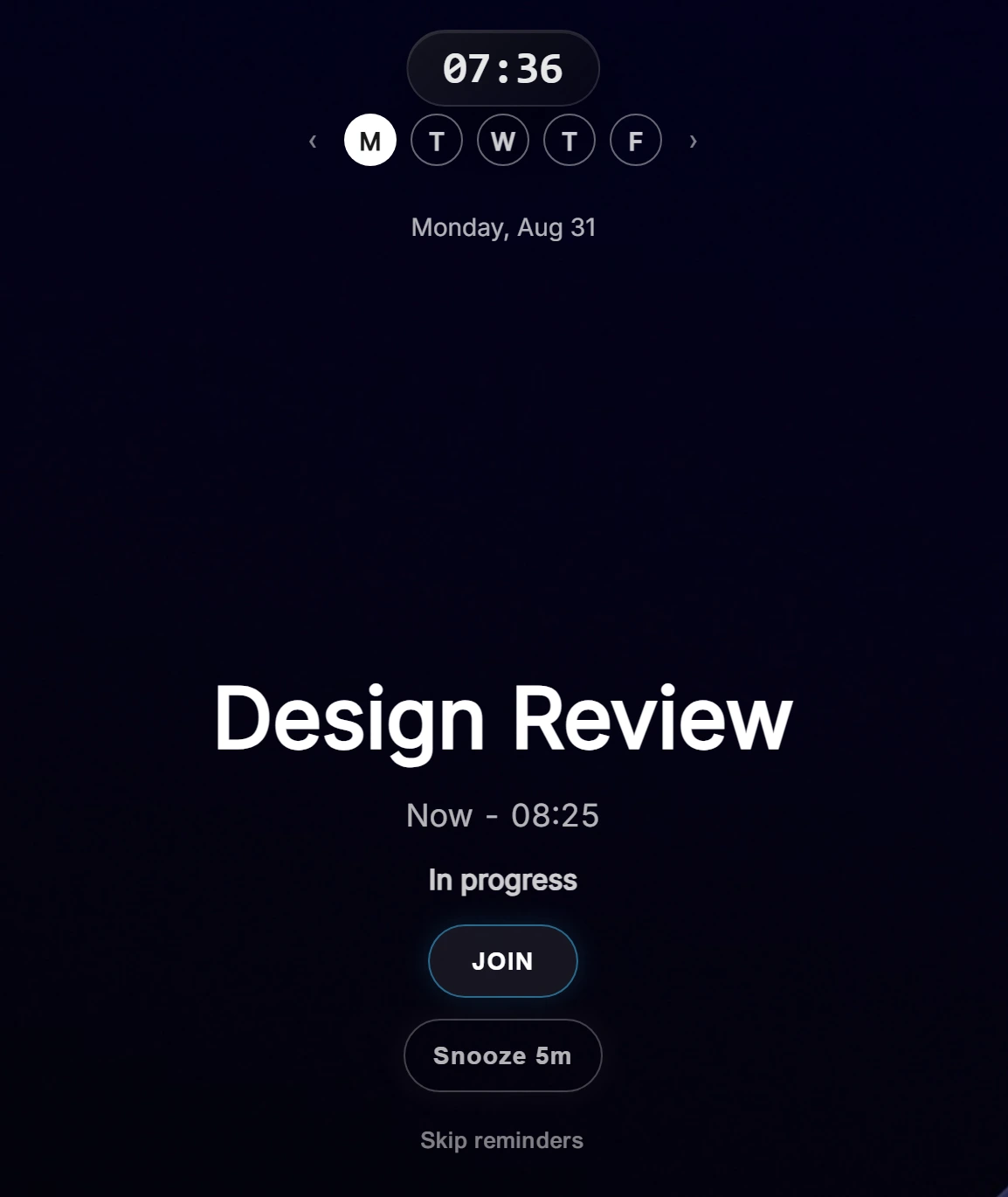
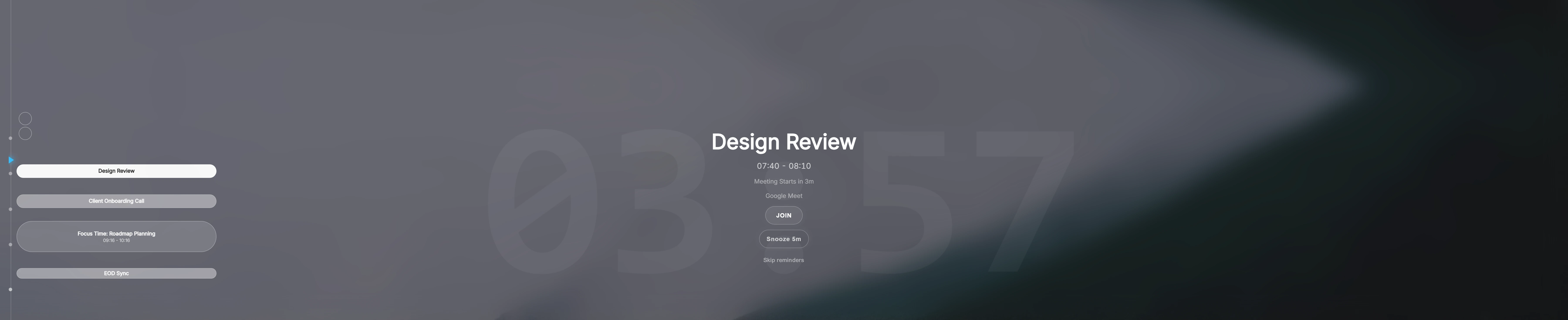
Built for focus. Impossible to ignore.
Fullscreen. Countdown. One-click join.
Fullscreen on every display
Semi-transparent reminders appear over any app — presentations, IDEs, browsers, even games. Reminders follow your active screen across multiple monitors, from a laptop panel to a 49″ ultrawide.
Countdown timers you can feel
Fires at 10, 5, and 1 minute by default — every threshold is customizable. Built for remote work, so you're never caught off-guard mid-Slack.
One-click join, 20 services
Ahem! detects meeting links for 20 services, including Zoom, Teams, Google Meet and Webex. If an invite has more than one join link, Ahem! shows them side by side instead of guessing. Join straight from the overlay — no hunting through email.
Privacy mode for screen sharing
Hide meeting names and attendees the moment you're presenting or screen sharing. Reminders still fire — your calendar stays yours.
More features
Plus: a guided first-run setup that picks your language and connects your calendar in a couple clicks, a "How to Use" tab in Settings, a "Show Description" toggle to preview a meeting's notes without leaving the overlay, sub-minute reminder timing down to 30 or 15 seconds, optional audio cue, export & import your settings to move a customized setup to another computer, works fully offline, global agenda hotkey, snooze & dismiss, and more.
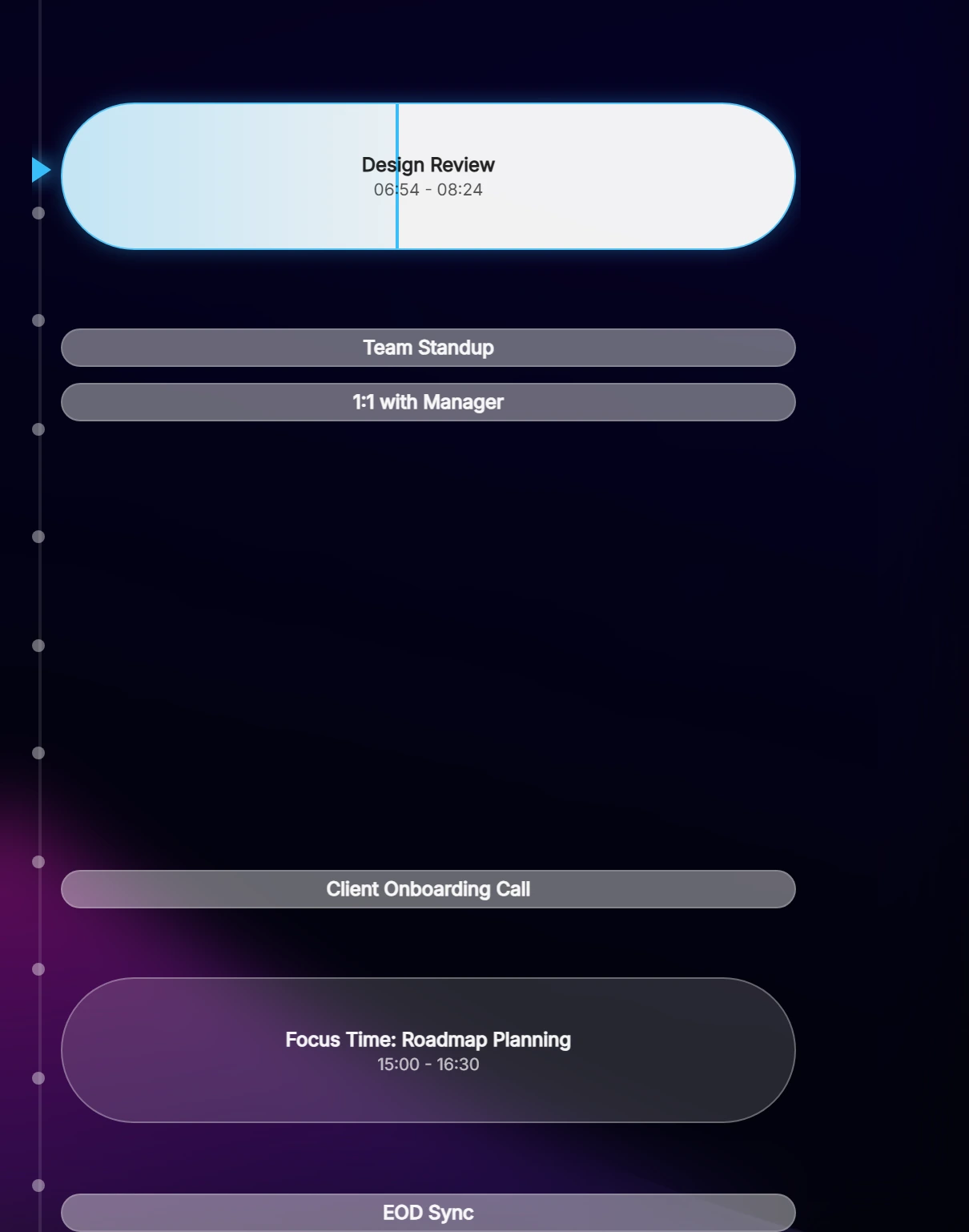
Your whole day, one glance.
Your next meeting takes center stage — the rest of the day stays in view, without ever leaving your current task.
Center-stage focus — name, platform, attendees, live countdown.
Full-day sidebar — past and future events stay visible.
Split calendar view — work and personal, side by side.
Current-time line — tied to the same countdown arrow that tells you exactly where you are.
Working hours & day navigation — set your window, browse freely.
Pay once. Yours to keep.
Everything included. Windows and Mac, no subscription.
Launch price · extra 20% off · Through 31 October
- One purchase unlocks Windows & Mac
- Lifetime license, no subscriptions or recurring fees
- Free updates included
- Windows & Mac · ~15 MB install
- No account required
Buying for a team? Seat discounts apply automatically at checkout — from 10 seats up through 250+.
or
Direct purchase includes Windows and Mac. Store purchases are for one platform.
A reminder that fits your day.
Choose how Ahem! looks, when it appears, and which screen it uses.
Light, contrast, or glass
Daylight and High Contrast are available on Windows and Mac. Glass is exclusive to Mac.
Your clock and shortcuts
Choose 12- or 24-hour time and record your preferred keyboard shortcuts.
Your choice of screen
Use your active screen, primary display, all monitors, or a custom selection.
Your finishing touches
Adjust accent color, blur, and motion to suit your desktop.
Everything stays local
Events are cached on your machine so reminders work even offline.
Read-only access
Ahem! can see your events, never change them.
Tokens in the OS keychain
OAuth credentials live in Windows Credential Manager or the macOS Keychain, never on disk in plain text. iCloud access on Mac is a native permission grant — no token at all.
Zero telemetry
No analytics, no crash reports, no tracking of any kind.
Made for people who really focus
- ADHD & neurodivergent folks who lose track of time
- Remote workers and WFH professionals
- Deep-focus workers: devs, designers, writers
- People juggling multiple calendars
- Ultrawide and multi-monitor power users
- Anyone who's missed a meeting they knew about
Under the hood
- Windows & Mac · ~15 MB install
- Google, Outlook / 365 and iCloud — on both Windows and Mac
- Unlimited accounts and calendars
- Events are cached on your machine so reminders work even offline.
- OAuth tokens secured in the OS keychain
- Works fully offline · available in 17 languages
- One-time purchase · lifetime license · free updates included
Frequently asked questions
Does it require a subscription?
No subscriptions, no recurring fees. Free updates included.
Is this a lifetime license?
Yes. Ahem! is a one-time purchase with a perpetual license: pay once and it is yours to keep, with no subscription and no renewal fees. Free updates are included.
Which calendars are supported?
Google Calendar and Outlook / Microsoft 365 on both Windows and Mac, with unlimited accounts and calendars. Ahem! also supports iCloud Calendar on both platforms — on Mac it uses Apple's native EventKit framework (a permission grant, no password needed), and on Windows it connects via CalDAV using your Apple ID email and an app-specific password, never your real Apple ID password. On Mac, signing in to Google or Outlook happens in a native in-app window instead of switching to your browser.
Do I need to buy Ahem! twice for Windows and Mac?
Direct purchase includes Windows and Mac. Store purchases are for one platform.
How does team pricing work?
Buying for a team? Seat discounts apply automatically at checkout — from 10 seats up through 250+.
What happens to my calendar data?
It stays on your machine. Ahem! has no servers — events are fetched directly from Google or Microsoft and cached locally. Read the privacy policy for the full picture.
Will it interrupt me mid-presentation?
The overlay is semi-transparent, and Esc dismisses it instantly. Turn on Privacy Mode to hide meeting names and attendees while you're screen sharing. Reminders fire at 10, 5, and 1 minute by default — fully customizable down to 30 or 15 seconds before the meeting starts.
Will reminders work without an internet connection?
Yes, for events already synced to your device. You need an internet connection to fetch new events or calendar changes, and to join an online meeting.
Is there an iPhone or Apple Watch version?
Yes. Ahem for iOS works on iPhone, iPad and Apple Watch, with Live Activities, widgets and Watch reminders. It is a separate app from the fullscreen desktop reminder, and you can use either app on its own. See Ahem for iOS.