A time blindness app for the meetings you cannot miss
Make the time visible
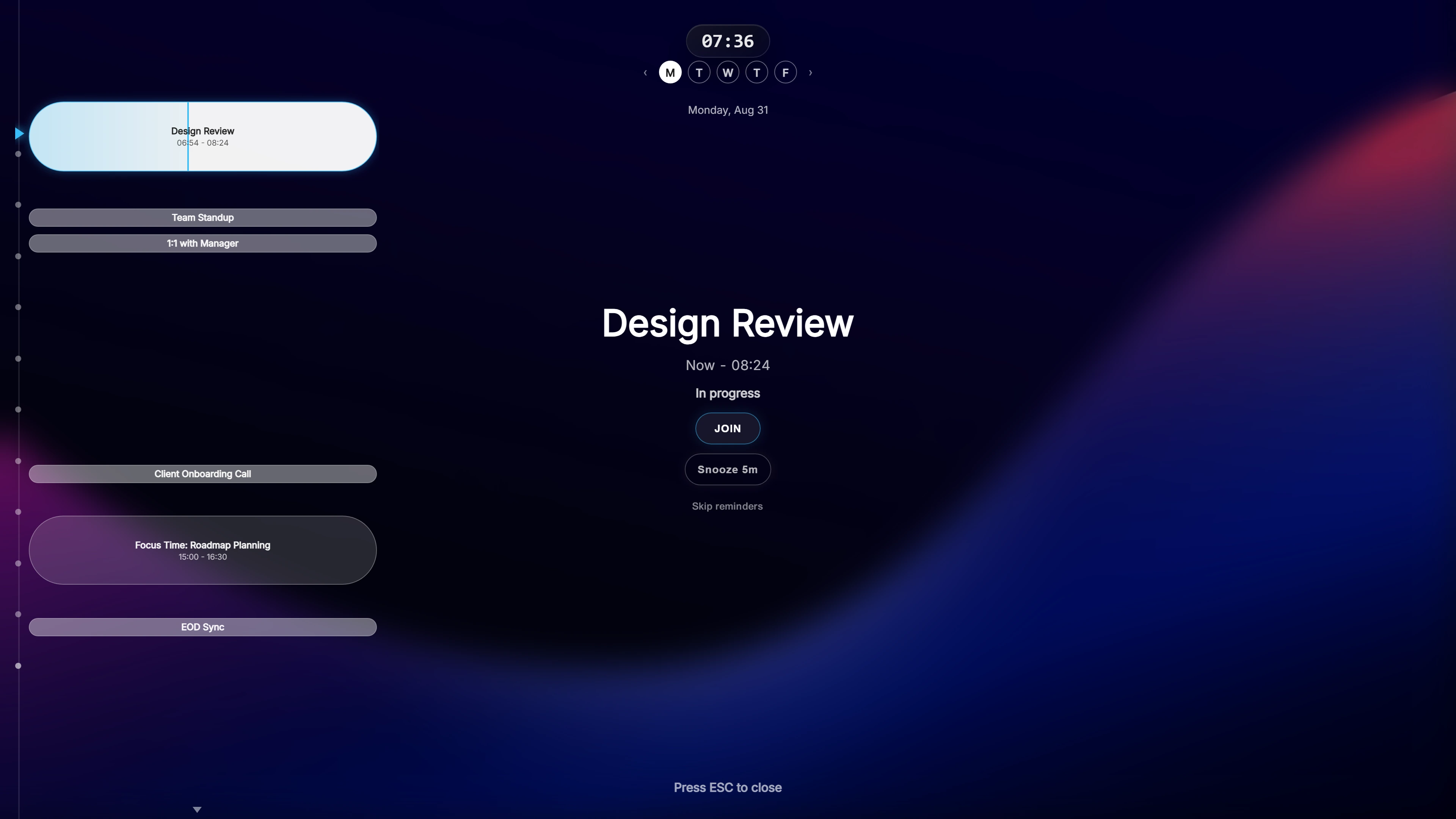
Ahem! turns “the meeting is at 2:00” into something you can see. Before each meeting it fills your screen with a live countdown: minutes and seconds, ticking down, on top of whatever you were doing.
You do not have to remember to check the clock or work out how long is left. The answer is in front of you.
Several chances to notice
One reminder is easy to wave away with “I have plenty of time”. Ahem! shows up at 10, 5 and 1 minute before the meeting by default, so there is a second and third prompt as the start gets closer. You can change each of those times, down to 30 or 15 seconds before.
See the rest of the day too
Next to the countdown, a day timeline shows what has passed and what is still ahead, with a line marking the current time. It is a quick way to see how much of the day is left without opening a calendar and getting pulled into something else.
From reminder to meeting in one click
The overlay has a Join button for 20 meeting services, including Zoom, Microsoft Teams, Google Meet and Webex. The gap between noticing the reminder and being in the meeting is one click, which leaves less room to drift.
Ahem! reads Google Calendar, Outlook / Microsoft 365 and iCloud Calendar. It works on Windows and Mac, and there is a companion app for iPhone, iPad and Apple Watch.
Common questions
Does Ahem! work for things that are not meetings?
Ahem! reminds you about events in your calendar. Anything you put in Google Calendar, Outlook or iCloud Calendar with a start time can trigger it.
Do reminders work offline?
Yes, for events already synced to your computer. You need a connection to fetch new events and to join an online meeting.
Is my calendar sent anywhere?
No. Ahem! has no servers. Events are fetched directly from your calendar provider and kept on your own machine.
One payment, both Windows and Mac. Works with Google Calendar, Outlook / Microsoft 365, and iCloud Calendar.