Full-screen meeting reminders for Windows
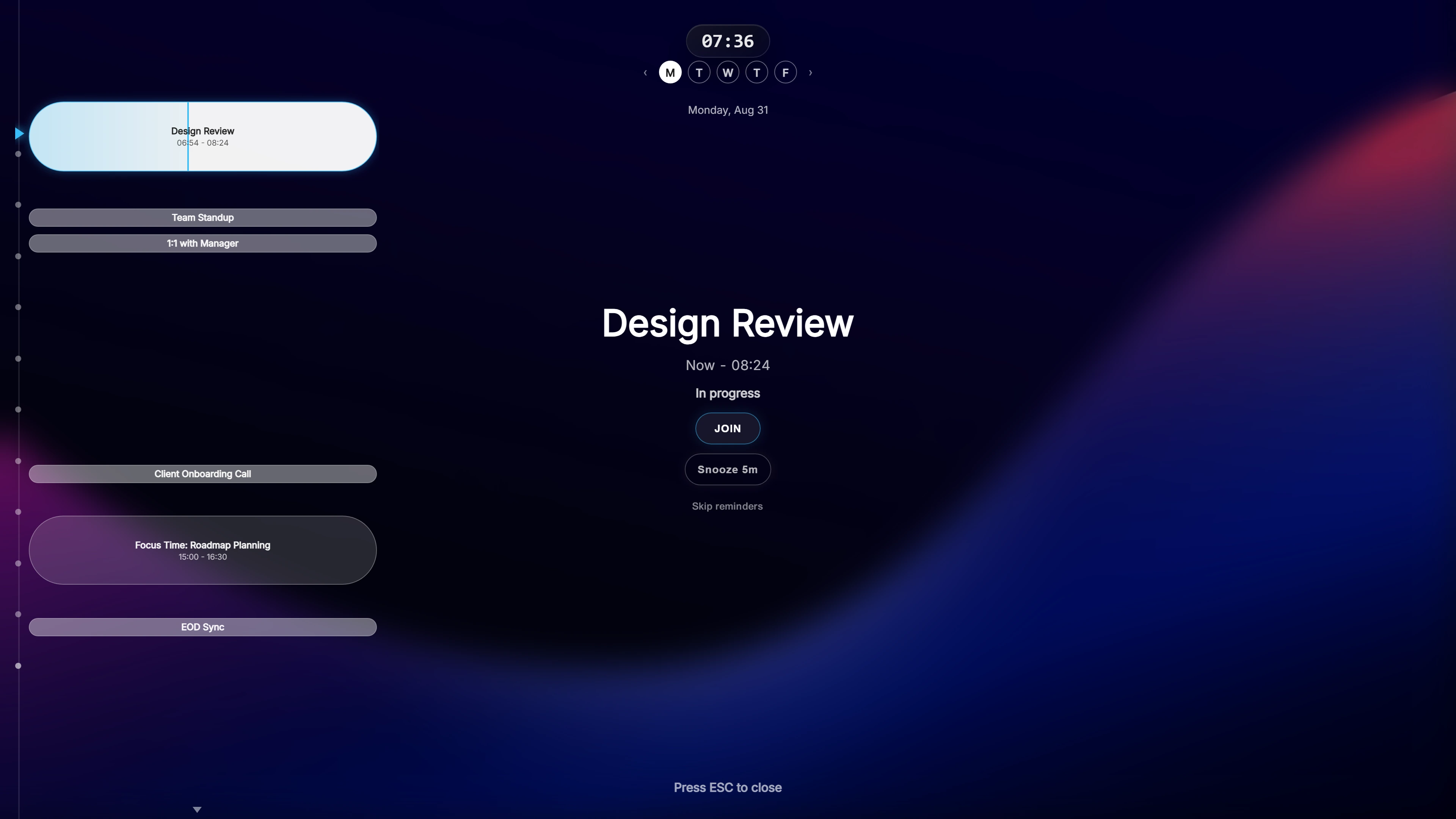
Over any app, on any monitor
The Ahem! overlay appears on top of whatever is in front: a browser, an IDE, a presentation, even a game. It is semi-transparent, so you can still see your work behind it.
With more than one display, you choose where it shows: the screen you are using, your primary display, every monitor, or a custom selection. It works from a laptop panel up to a 49-inch ultrawide.
What is on the overlay
- The meeting: name, service and attendees.
- A live countdown to the start.
- A Join button that opens the meeting link. Ahem! recognises 20 services, including Microsoft Teams, Zoom, Google Meet and Webex.
- Your day: a timeline of past and upcoming events at the side.
Press Esc to dismiss it, or snooze it. A global hotkey opens your agenda whenever you want it.
Works with your calendars
Ahem! connects to Google Calendar and Outlook / Microsoft 365 with unlimited accounts and calendars. iCloud Calendar works on Windows too, through CalDAV with an app-specific password, never your real Apple ID password.
Access is read-only. Sign-in tokens are stored in Windows Credential Manager, and events are cached on your PC so reminders still fire offline.
Small and paid for once
Ahem! is about a 15 MB install. It is a one-time purchase with free updates and no account. Buying direct from this site covers both Windows and Mac; the Microsoft Store version is for Windows only.
Common questions
When do the reminders appear?
At 10, 5 and 1 minute before the meeting by default. Each one can be changed, down to 30 or 15 seconds before the start.
Can I hide meeting names while sharing my screen?
Yes. Privacy Mode hides meeting names and attendees. Reminders still appear.
Does it start with Windows?
Only if you choose that during setup or in Settings. It is off by default.
One payment, both Windows and Mac. Works with Google Calendar, Outlook / Microsoft 365, and iCloud Calendar.